How to Install Tools-App
Follow these simple steps to install Tools-App on Chrome
1
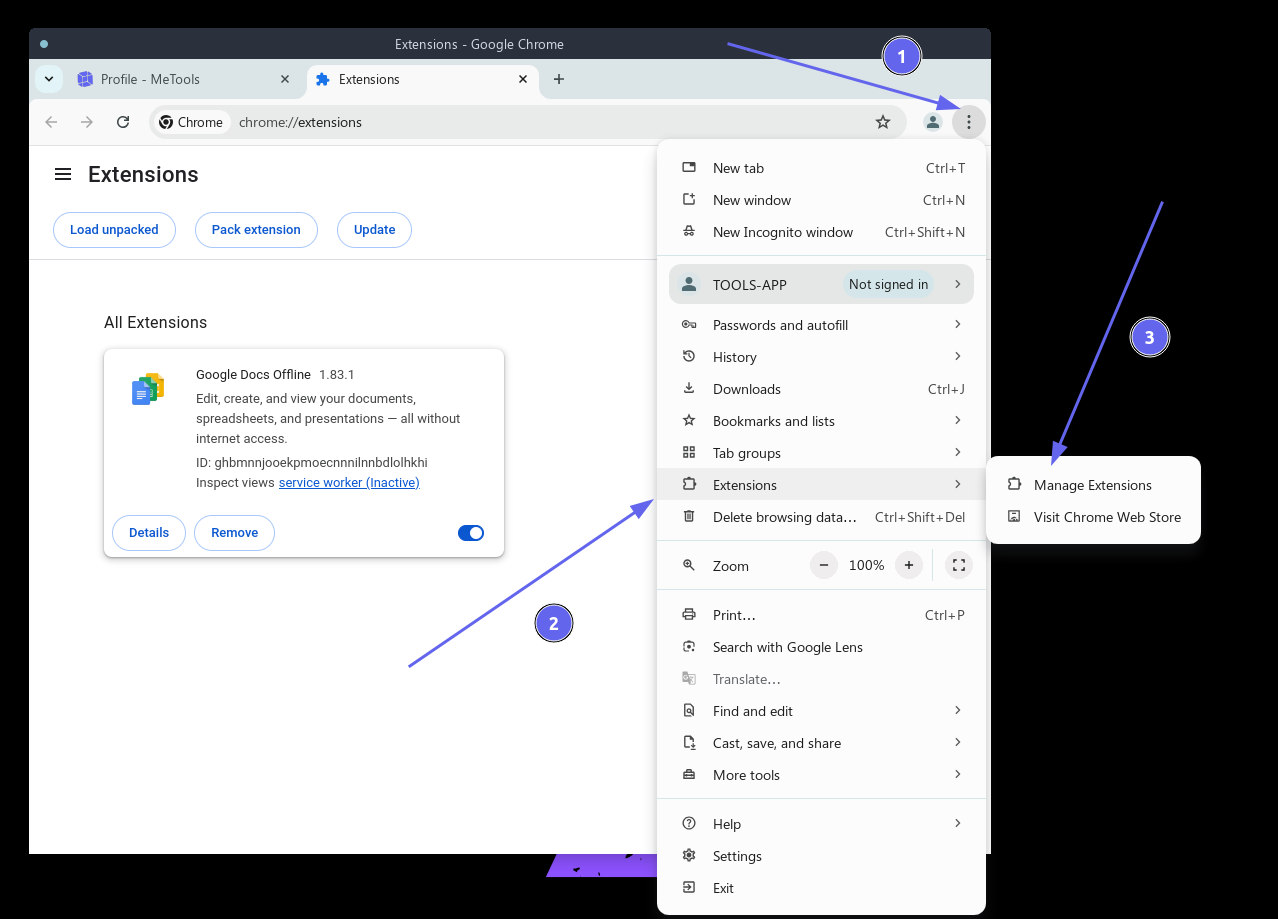
Open Chrome Extensions
Click the three dots menu in the top right corner of Chrome and select "Extensions" > "Manage Extensions"
2
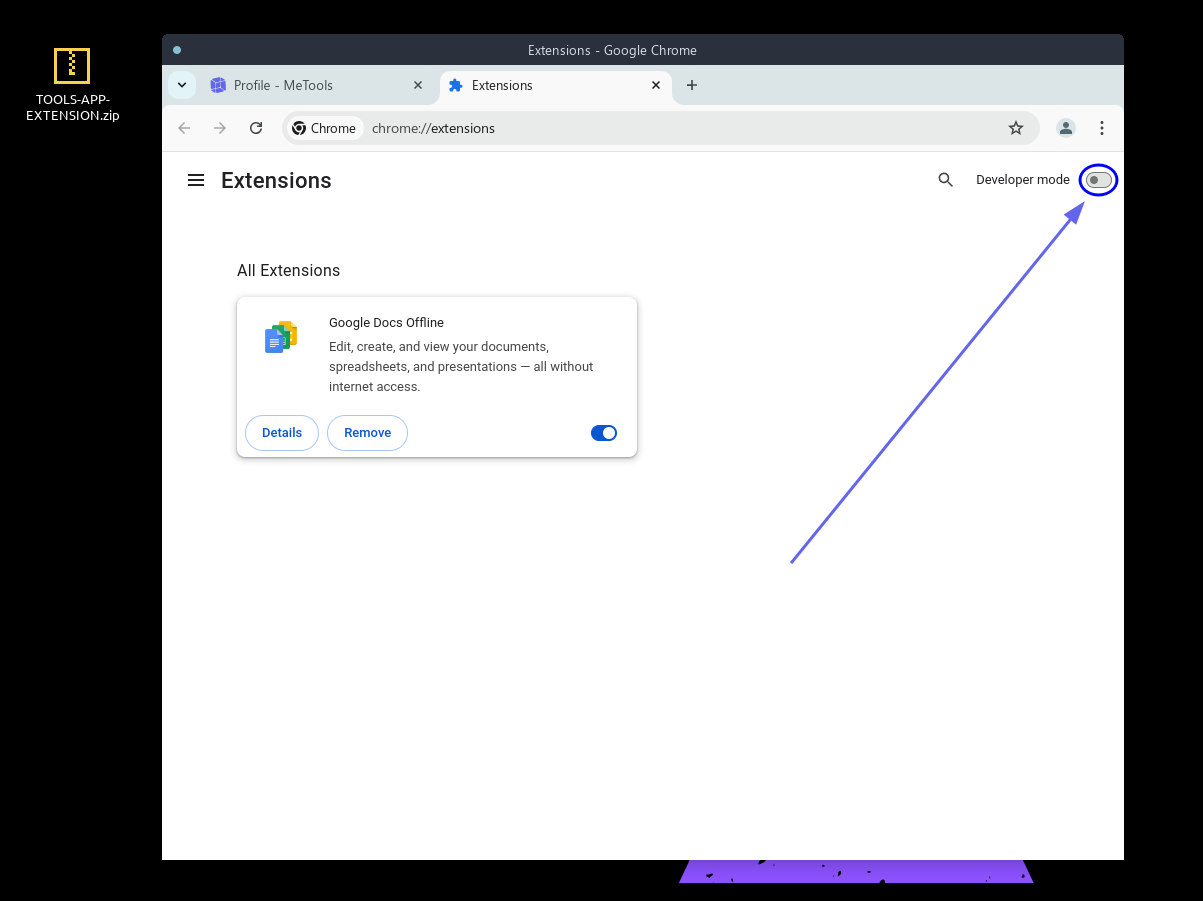
Enable Developer Mode
Toggle the "Developer mode" switch in the top right corner
3
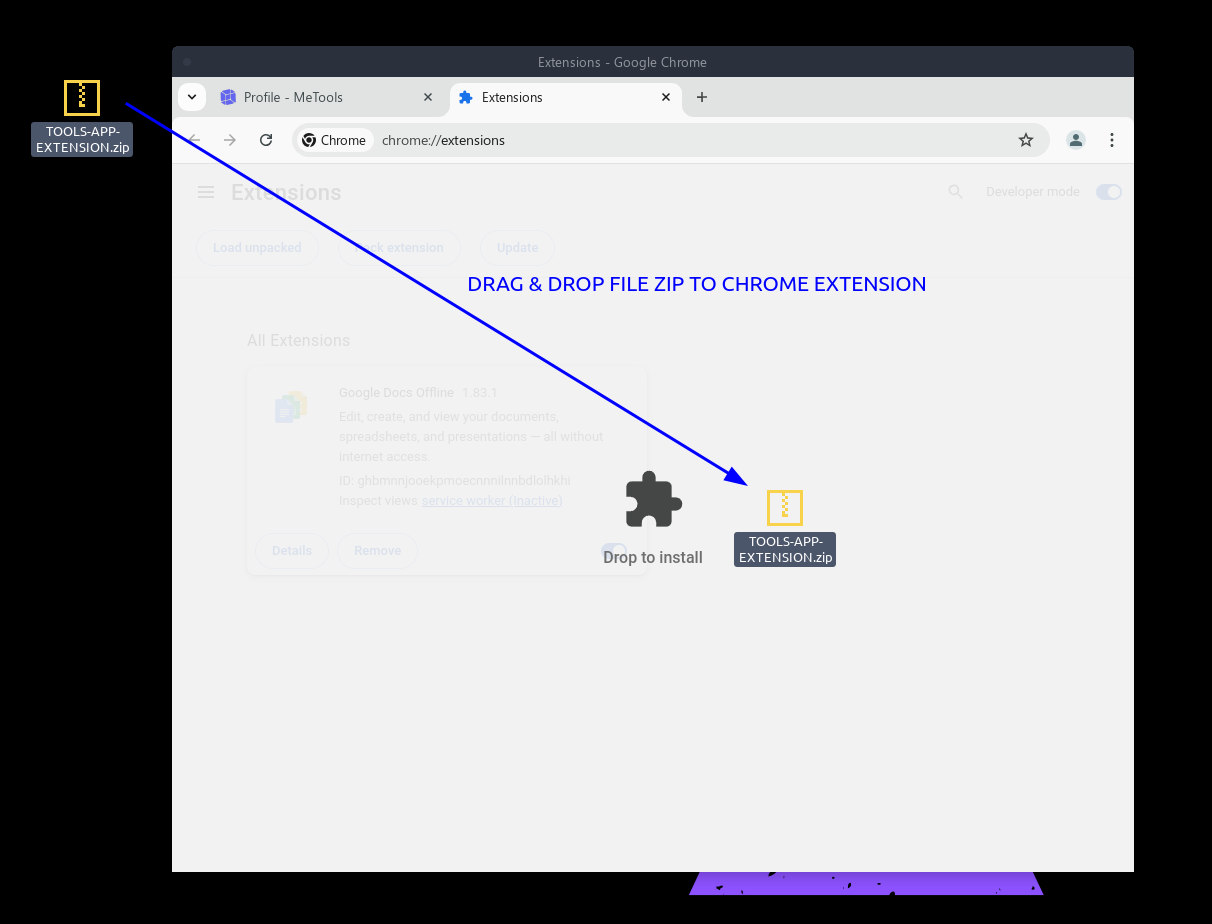
Install Extension
Drag and drop the tools-app.zip file into the Chrome extensions page
4
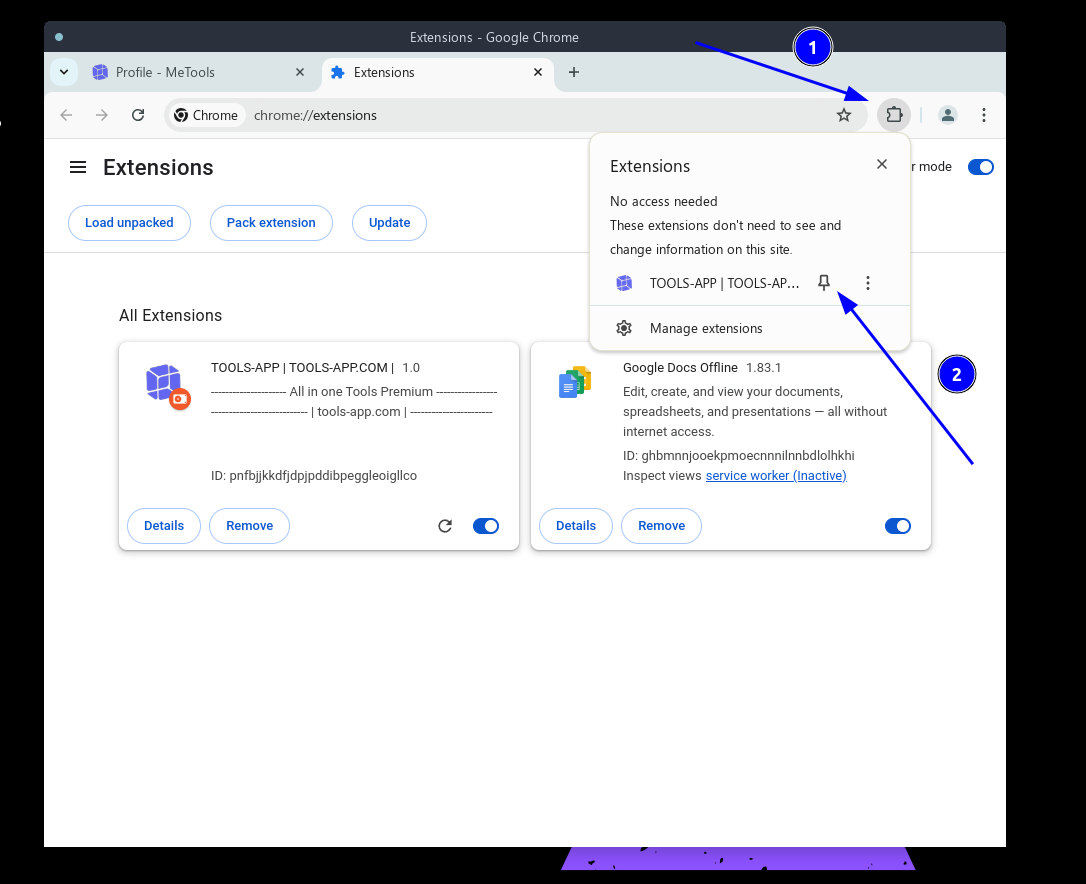
Pin the Extension
Click the extensions icon and pin Tools-App for easy access